

Infrastructure
The purpose of the "Infrastructures" module is to improve the overview, visibility and exposure of the university's many infrastructures, for example instruments or physical and digital collections. On this page you will find who manages infrastructures in LUCRIS and why we collect them.
The infrastructure register
The infrastructure register includes larger structures such as laboratories and similar platforms, but also important instruments, databases and physical collections. In the registry there are also certain national and international infrastructures such as Lund University participate in, but which are not physically located at Lund University.
Infrastructures in LUCRIS differ from infrastructure units (infrastrukturenheter) in Lucat. These units are not infrastructures but organisations in LUCRIS.
Why we add infrastructures
The ambition is that a consolidated register of available infrastructures at Lund University should lead to improved resource utilization. The register will also enable new collaborations and future financing of new infrastructures.
The register does not replace but supplements any other websites that exist for the infrastructure. Feel free to link to such pages.
The researcher's responsibilities
As a researcher, you can’t register infrastructures in LUCRIS. This is handled by the faculties. However, you as a researcher can connect other information to infrastructures such as projects. Of course, you can also search for infrastructures that are relevant to you.
If you are missing an infrastructure in the register, you are welcome to contact the LUCRIS support. We will help you with taking the question further.
As a researcher, you can connect other information to infrastructures, for example projects or publications. Of course, you can also search for infrastructure that is relevant to you.
The faculties' responsibilities
It is the faculty, not individual researchers, who decides which infrastructures should be in the register. The assessment are made in the respective faculty's infrastructure council or equivalent. Faculties that have infrastructures entered into LUCRIS should have an appointed administrative contact person who coordinate the work with new requests from researchers to bring in new infrastructures.
An overall review of the register as a whole is done every two years.
Add or remove an infrastructure
To add or remove an infrastructure, contact the LUCRIS support. Basic information about new infrastructures must be sent in a simple word file as to the LUCRIS administration. The faculty then manages the infrastructure according to its own praxis.
Edit infrastructures
Anyone connected to the infrastructure with the manager role in LUCRIS can edit the infrastructure. The overall responsibility to update and correct the information lies with the faculties. A faculty can appoint one or more people who can edit all of the faculty's infrastructures. The appointed person needs to get the role ‘Editor of infrastructure’ in LUCRIS. You can apply for a role via the LUCRIS support.
Note that the infrastructure's contact person cannot edit the infrastructure.
You who manage an infrastructure should:
- Review, update and complete the information.
Infrastructures in the Research Portal
The goal of displaying Lund University's infrastructure in the Research Portal is to create an overview of infrastructures and enable internal and external visitors to search for and find research infrastructure at the university. It is therefore important that the register of Lund University's infrastructures is as complete as possible. Even smaller infrastructures or those that are only used internally can have a big impact and be important to showcase.
Frequently asked questions about infrastructures
Blew you will find answers to our most frequently answered questions about infrastructures. There are also detailed descriptions on how to fill out the fields in LUCRIS for infrastructures.
Researchers find the infrastructures they can edit below the Personal tab in LUCRIS.

Editors without a personal tab will find the Infrastructure module under the tab "Editor". Click on the module "Infrastructure" and then "My infrastructure" to see the infrastructures you can edit.

New infrastructures are added centrally. Therefore some fields (for example the mandatory ones) will have basic information from the start.
Use the fields available to describe the infrastructure in as much detail as possible. Add information to the extent that the field feels relevant to the described infrastructure.
Mandatory fields
Fields with a red asterisk are mandatory, for example the title field.'

Note that there are mandatory fields in both Swedish and English in LUCRIS. It is for instance important to enter the title and description in both languages. This way the infrastructure can be found on both the Swedish and English pages of the Research Portal. Click on ‘Translation’ to check this.
Otherwise, entry in English is prioritized in the register.

Title
Title is mandatory. It is pre-filled during the central registration. Change if necessary. Also check that both the Swedish and English pages have a title.
If the infrastructure belongs to a larger structure, for example a national or international infrastructure, the name of this structure should also be included in the title of the infrastructure.
Acronym
Can be pre-filled otherwise complete if an acronym exists.
Name of national/international infrastructure this belongs to
Specify other national or international infrastructure of which the infrastructure is a part, if applicable.
If the infrastructure is organizationally or hierarchically under another LU infrastructure in LUCRIS, this is noted in the ‘Hierarchy’ field further down. In that case, the infrastructure's ‘parent node’ is added there.
Description
Brief overall description of the infrastructure. Add a description if the field is empty in both Swedish and English.
Note that it is not possible to insert links in the running text. Instead, put links below ‘Links’ which can be found under ‘Access to infrastructure’ further down the page.
Equipment and resources
The field describes the equipment and resources included. Add a description if the field is empty and relevant to the infrastructure. List key instruments and similar. This makes them searchable in the portal.
Digital and physical collection
Describe collections belonging to the infrastructure, physical or digital if any.
Services provided
Describe which services are offered in relation to the infrastructure, if relevant.
Management of the infrastructure
Describe how the infrastructure is managed.
Details
This field is currently not in use.
Persons and organisations
Via the ‘Add organisation’ button, you add the units responsible for the infrastructure. Several units can be linked to the infrastructure. The field is used for those who provide the infrastructure (not those who use it).

Via the ‘Add person’ button, the person responsible for the infrastructure is added or changed. The person must have the role ‘Manager’. Whoever is added as a manager also automatically appears as a contact person under ‘Access to infrastructure’. It is also possible to add people with the contact role here if this is more relevant.

Infrastructure managed by
The field should contain the unit with the organisational responsibility for the infrastructure in LUCRIS. This unit can make updates. The field should be filled with the organisational affiliation of either the responsible person or administrator of the infrastructure.
Access to infrastructure
The person who is registered as a manager will be pre-added as a contact person. The person can be exchanged for someone else, and it is also possible to add additional people. Address, phone number, e-mail and various types of links can also be added here (for example to the infrastructure's website if one exists).

Available for loan/booking:
Set a value or update the one currently set. Complete with the terms of use, details of any loan, use or booking in the field ‘Terms of access’. It is mandatory to set a status.
Photo
In this field you have the possibility to add one or more images to the infrastructure. These become visible in the Research Portal.
Hierarchy
Use this field to create a relationship with any other superior (already registered) infrastructure that exists at Lund University, if relevant.
Keywords
Fields for different types of classifications of an infrastructure. Change or supplement if necessary. Add value in the fields that have no information.
UKÄ Subject classification
Subject classification according to UKÄ, same list as other content in LUCRIS. The field is visible in the Research Portal.
Faculties involved
One or more faculties that finance the infrastructure. Do not add faculties that use the infrastructure. The field is not visible in the Research Portal.
Type of infrastructure
Description of the nature of the infrastructure. The field is not visible in the Research Portal.
Annual turnover (last calendar year)
Annual turnover for the previous calendar year, given in intervals. Leave the field empty if you are unsure. The field is not visible in the Research Portal.
Degree of recognition
Please indicate what suits the infrastructure best (local, national, international). The field is not visible in the Research Portal.
Main funding forms
Choose the current financing forms for the infrastructure. The field is not visible in the Research Portal.
Keywords
This is a free text field to supplement the UKÄ classification. The field is not visible in the Research Portal.
Relations
In this field it is possible to connect the infrastructure to other content in LUCRIS. You can for instance connect it to projects or research outputs. This way you show what role the infrastructure played in regards to the linked content. Linking information to the infrastructure is voluntary.
Visibility
This field is managed by the LUCRIS administration. If the value is anything other than ‘Public - no restriction’ then this should not be changed. It may be the faculty's decision that the infrastructure should not be publicly visible in the Research Portal.

Do not forget to save!
When you have gone through the entire form, click the blue ‘Save’ button. The information will then be updated and saved.
Contact the LUCRIS support
E-mail: servicedesk [at] lu [dot] se
Phone: 046-222 90 00
Monday - Friday 8:00-17:00
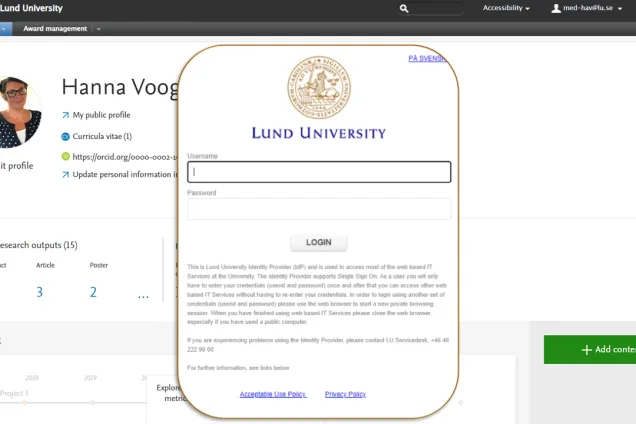
Log in to LUCRIS
(lucris.lub.lu.se)

Research portal
(portal.research.lu.se)